
getting started
Quick Start Guide
Get up and running with Concier AI in just a few minutes. This guide covers the essential steps to create your account and start managing customer interactions.
Getting Started
Step 1: Login and go through the onboarding process
- Visit concier.ai and click "Sign in with Google" or "Sign Up" - both will create your Concier account.
- You will see the onboarding screen once logged in - type in your website address
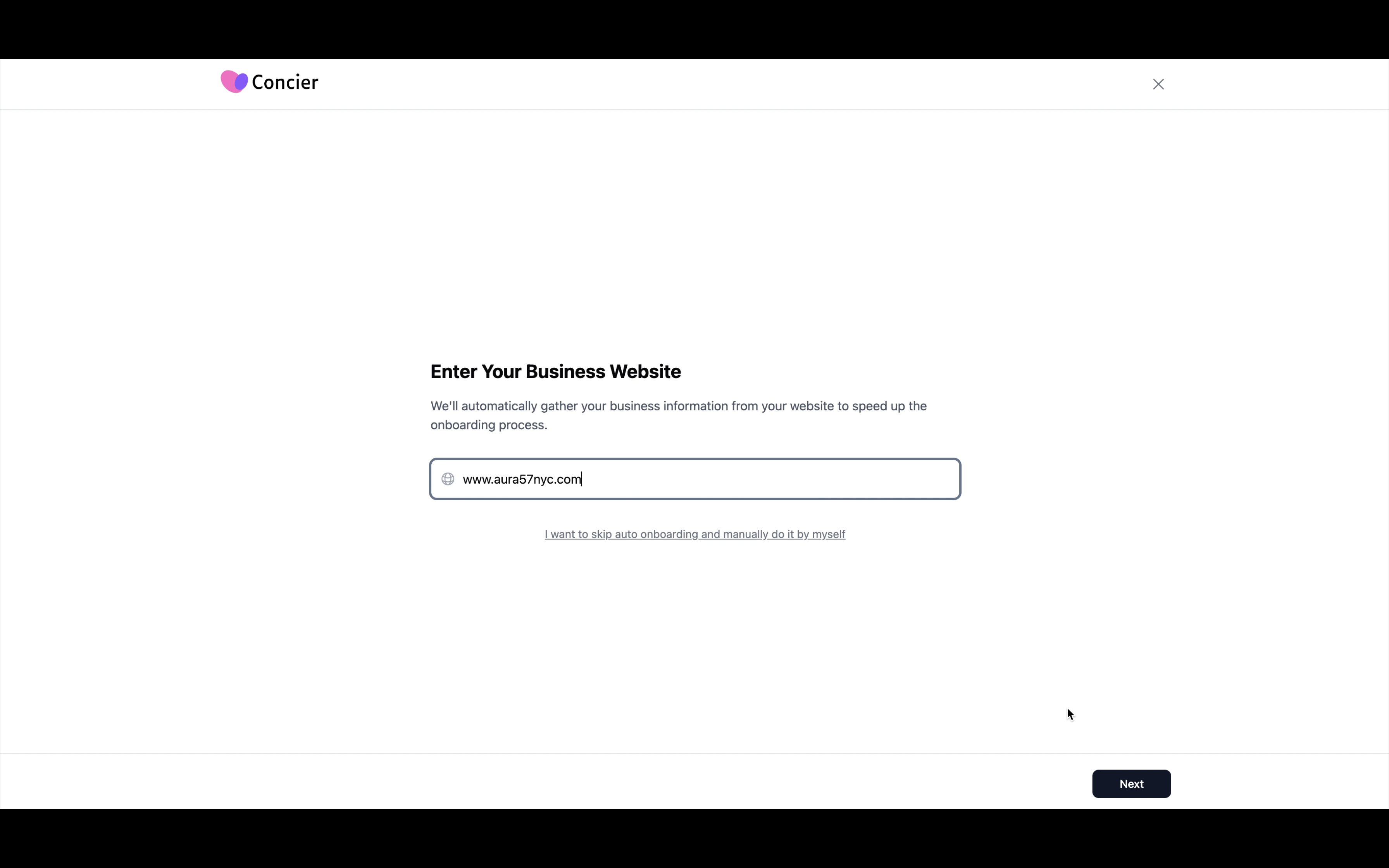
Onboarding Process
- Follow the instructions in the auto onboarding workflow.
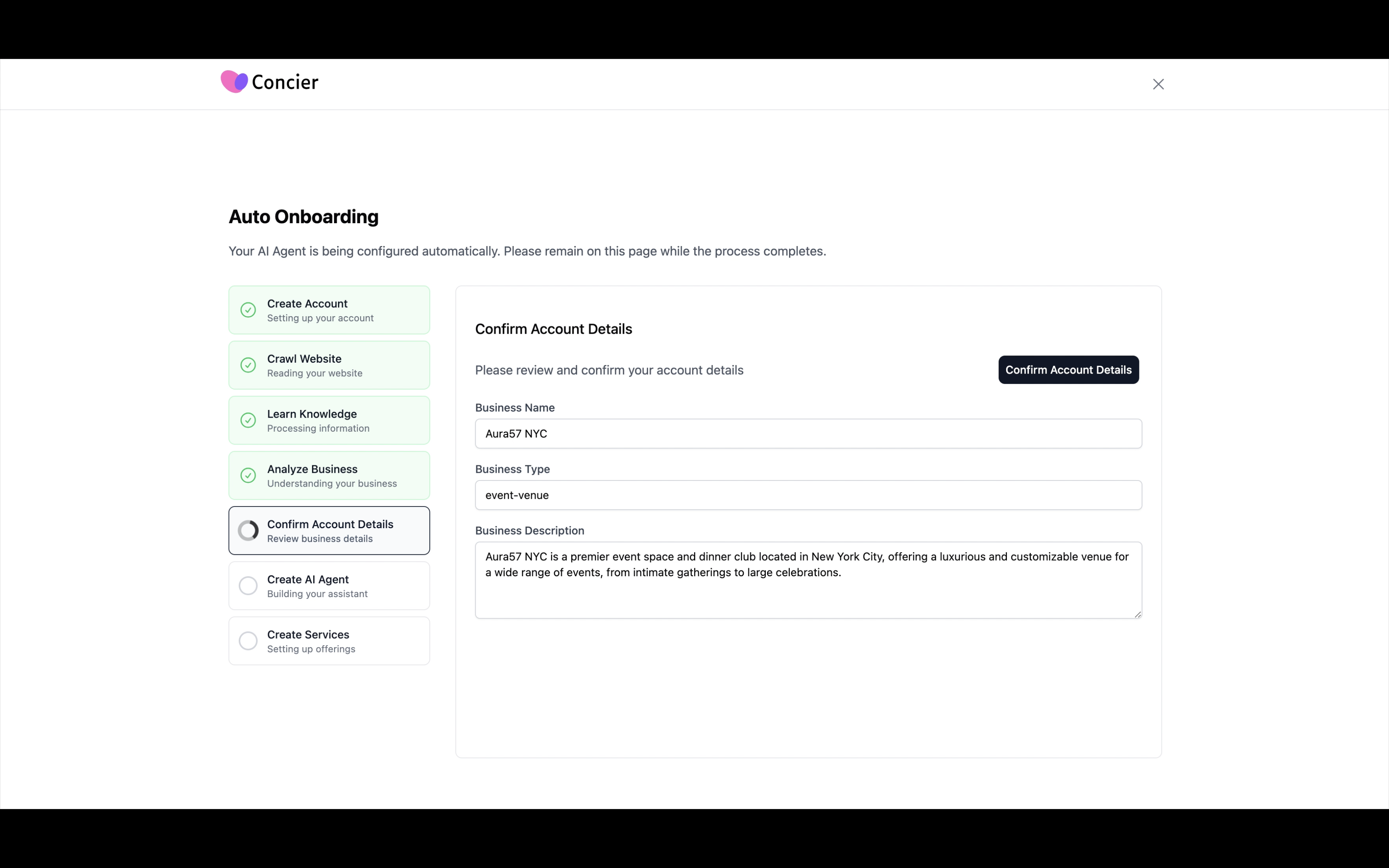
Onboarding Process
- Welcome onboard! You will be able to talk to your AI teammate now!
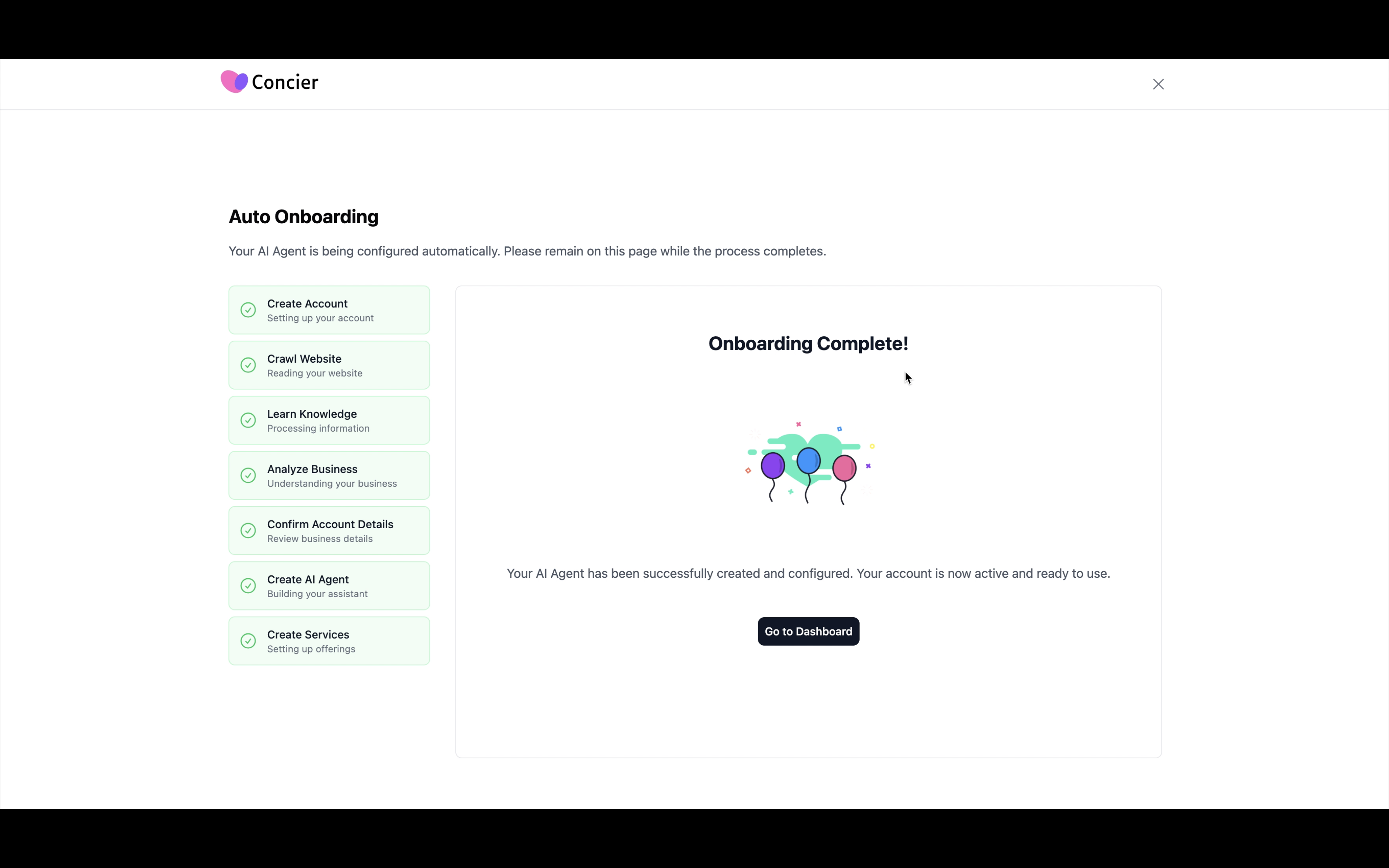
Onboarding Process
Step 2: Review your service menu
- Navigate to the "Listings" section, which should list all your bookable services for customers to inquire about.
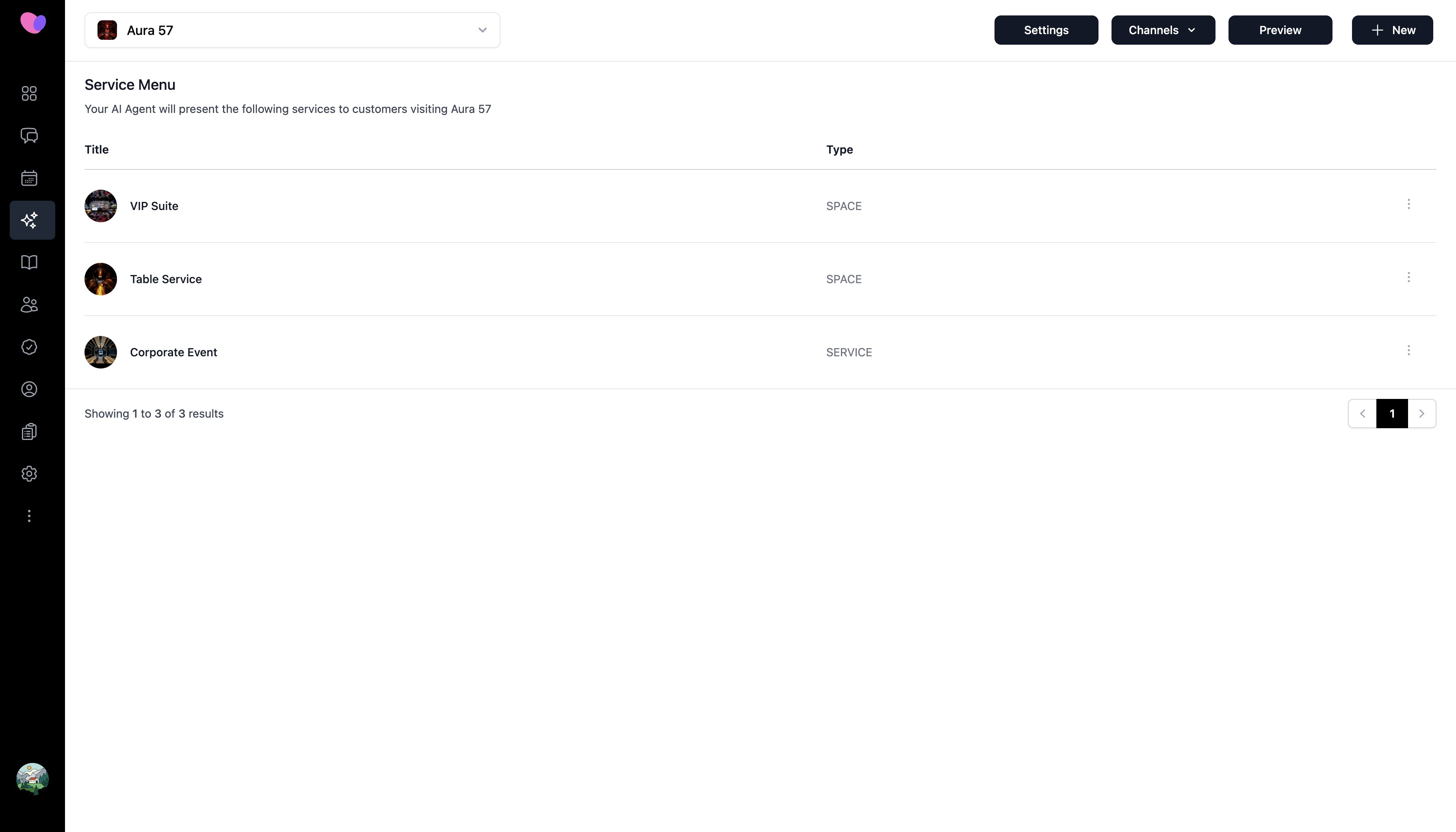
Listing Management
- The top left dropdown represents the locations/branches of your business. Click Settings to configure business hours and address.
- Click Channels to view how you can make your customers access this AI agent.
- Click on each service and add details including uploading pictures. Click "New" if you need to add more.
Step 3: Add your team members and assign a human manager for your AI teammate
- Navigate to the "Team" section and click the '+ New Team Member' button to add a member.
- Go to the "Listings" section -> Settings -> Supervisor -> Select one of the human members as the manager. The AI will contact this person when there is a need for escalation.
- Add escalation rules
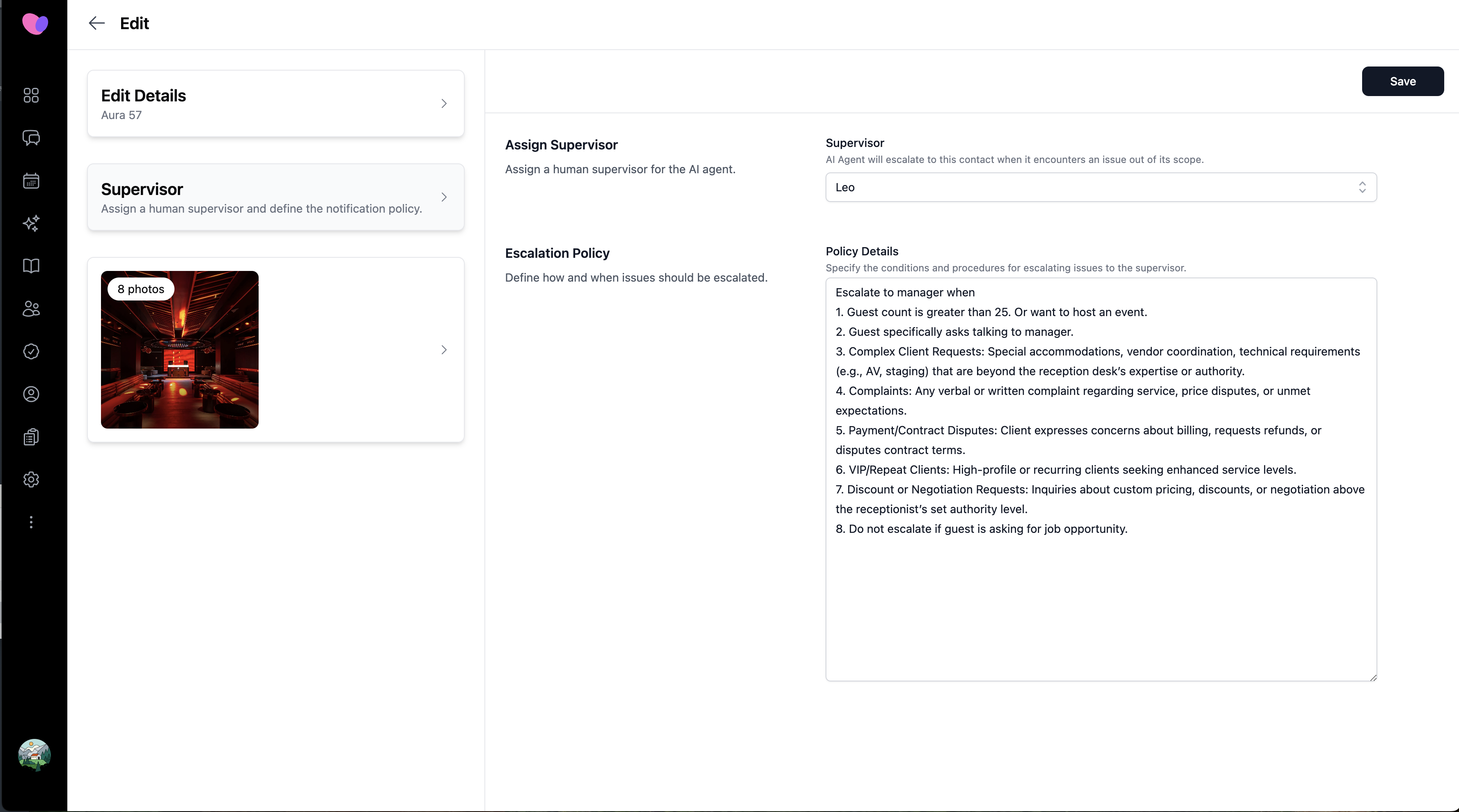
Assign Human Manager for AI Teammate
What's Next?
Now that you're set up, explore these essential features:
Core Features to Configure
- Managing Customer Interactions - Learn to organize and track customer data effectively
- Analytics Dashboard - Monitor your business performance and insights
- Profile Settings - Customize your account preferences and notifications
Business Optimization
- Pricing and Billing - Understand plans and optimize your subscription
- Performance Tips - Get the most out of your Concier AI setup
Need Help?
If you run into any issues during setup:
Self-Help Resources
- Troubleshooting Guide - Solutions to common setup problems
- Video Tutorials - Visual walkthrough of key features
Direct Support
- Live Chat: Contact our support team through the chat widget in your dashboard
Welcome aboard! 🎉